SourceCollect

Every feature.
Seen at work⁠.

Twelve features in three groups, each with real screenshots and recordings from the Windows app.

Collect

From Explorer or Finder, collect a project with every nested project and every font*. Reduce it to just the comps or sequences you choose.

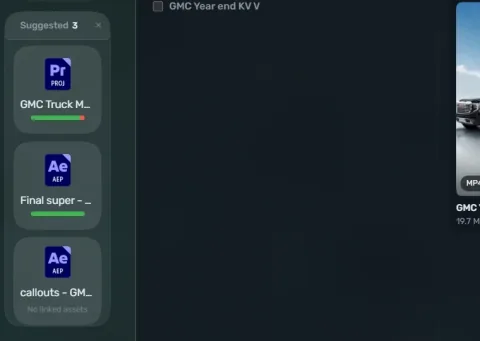
InstaCollect

Drop projects on the overlay and they are collected at once. No buttons to press. Fix anything afterwards in the report or the summary screen.

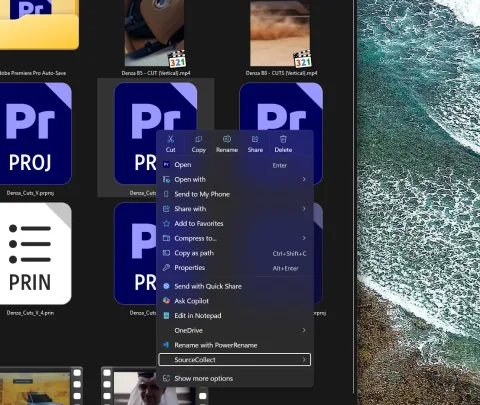
Right-click, collect.

Select your project files in Explorer and collect straight from the SourceCollect context menu. The collect starts where the file already is.
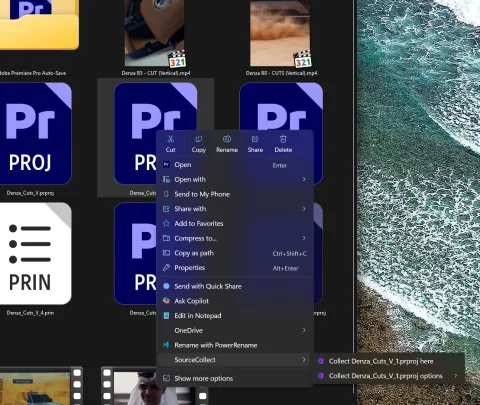
Windows Explorer’s SourceCollect context menu for a selected project

Or drag it in.

Drag your selected projects from Explorer into the desktop overlay. One project or a whole batch.

No app launches

You do not need to launch any Adobe program, or even have one installed. SourceCollect reads the project file itself, so no app launches and nothing waits.

Pick files, not apps.

Select project files in Explorer the way you always do. SourceCollect works from the files themselves, so your creative apps can stay closed.

Windows Explorer with project files selected, ready to collect without opening their apps

Look inside before anything moves.

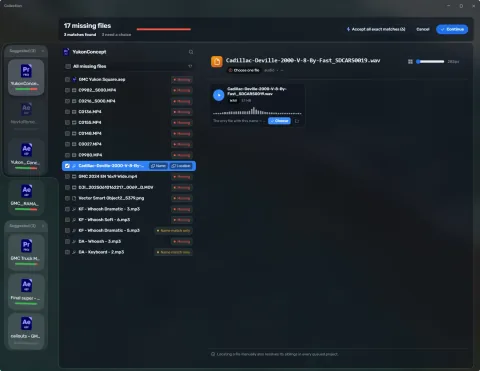
Look through a whole batch first: Premiere footage, After Effects fonts* and images, linked projects. No Adobe app opens while you look.

Fonts*

Every font* your comps use travels with the project, so the text still looks right on the next machine.

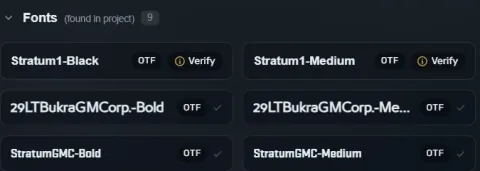
Fonts* travel too.

Every font* your comps use goes along with the project. Adobe Collect Files leaves the fonts* behind.

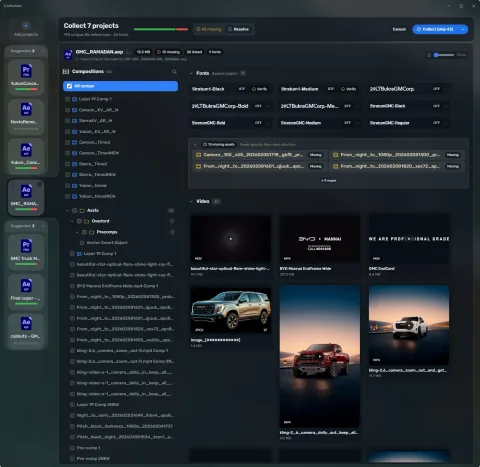
Fonts found in an After Effects project, listed by name

Listed with everything else.

A project’s fonts* are shown beside its footage, images and audio, so you can see everything that will travel before you collect.

An After Effects project in SourceCollect with its fonts, video, images and audio listed

Nested projects

An After Effects project inside a Premiere project, an Illustrator file inside that. Every level is found and collected, not just the first.

Every level, not just the first.

Adobe Collect Files stops at the project you are in. SourceCollect follows the chain: a Premiere project that holds After Effects documents, and the files inside those.

A Premiere project and the After Effects documents attached to it

Attached projects, in plain sight.

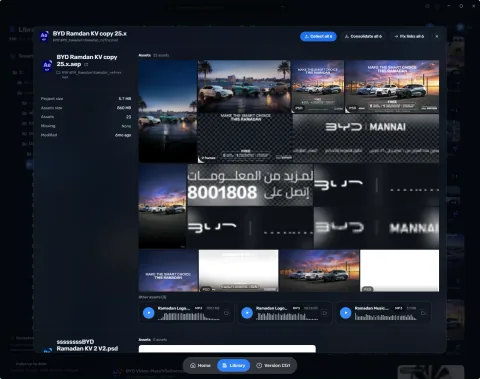
Expand a project in the Library to see the project documents attached to it, with their audio and linked footage.

A Library project card expanded to show its documents, artwork and audio

Batch

Different projects, different apps, one collect.

A whole delivery, one collect.

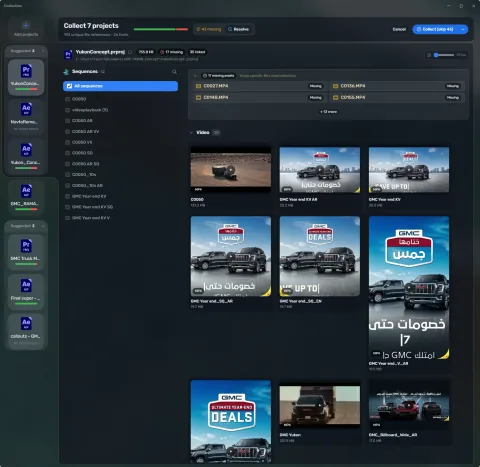
Drop a whole delivery on it. Premiere, After Effects, Illustrator, Photoshop, Blender: different projects, different apps, one collect.

Adobe Collect Files collects one project at a time, inside its own app.

Coming soonNuke, DaVinci Resolve and Cinema 4D projects in the same batch.

SourceCollect Collect Preview with seven projects ready to collect

Reduce

Reduce a project to the comps or sequences you choose, and keep only those and the assets they use.

Tick what you need.

Pick the comps or sequences you need and keep only those and the assets they use, so everything stays organized. SourceCollect knows which comps were rendered, so it knows which ones matter.

Adobe has a Reduce Project command, but it works blind.

Coming soonReduce to scenes in Blender, and to artboards in Photoshop and Illustrator.

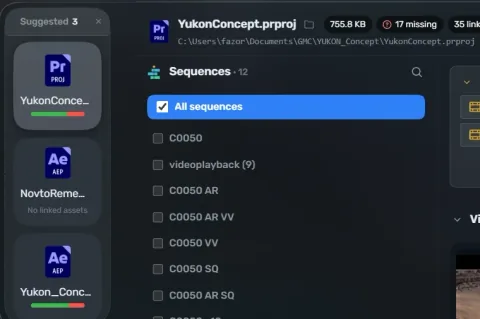
An After Effects project inspected in SourceCollect, with its comps listed

Combine

Several projects, one package.

Shared assets, kept together.

Merge several projects into one package, with the assets they share kept together.

Adobe Collect Files collects every project on its own.

Related projects grouped together in a batch

Maintain

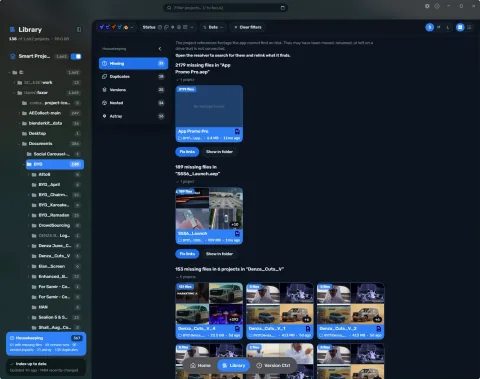
Fix links, gather project versions and consolidate footage. The Library keeps a deep index of every project and its links, so you can move, organize and deduplicate assets without breaking a link.

Consolidate

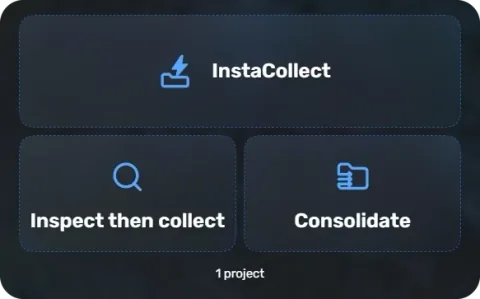
Consolidate footage: bring loose files home, beside the project.

Loose files, beside the project.

Bring loose files in beside the project. When you close After Effects or Premiere, SourceCollect asks once. Windows only today.

SourceCollect drop panel offering InstaCollect, Inspect then collect and Consolidate

Deduplicate

Gather the versions of a project and spot the copies.

Know which copy is which.

Copies of the same project are flagged, so you can tell which version is current and hand over the right one.

SourceCollect’s Housekeeping panel

Inspect

Thumbnails for project files. Always up to date.

Thumbnails

Untitled.aep? final_final_v3.prproj? Tell which project is which at a glance, from outside the app.

Real thumbnails of every asset.

Real thumbnails of every asset, and an instant look inside a project. Preview 3D files and audio too. Nothing moves until you have seen it.

Adobe Collect Files gives you a list of file names.

Thumbnails of the media inside a project

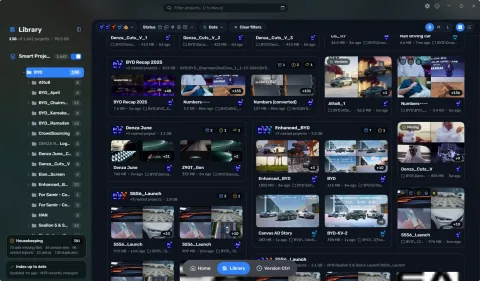
Browse the whole Library.

Every project is a tile, with real artwork from the footage inside, in the folders where the files actually are. Hover to preview what’s inside. The Library updates itself, so it is always up to date.

Try everything for 7 days.

No account needed. After the trial SourceCollect carries on as Free, and Pro is a one-time purchase.

Fonts. Fonts are licensed software. SourceCollect copies a font only when you collect a project that uses it, and it does not check who owns the font or what its licence allows. Collect and share only fonts you own or have the right to share. You are responsible for the fonts you collect and for how you share them. SourceCollect and its makers accept no responsibility for fonts collected without a licence.