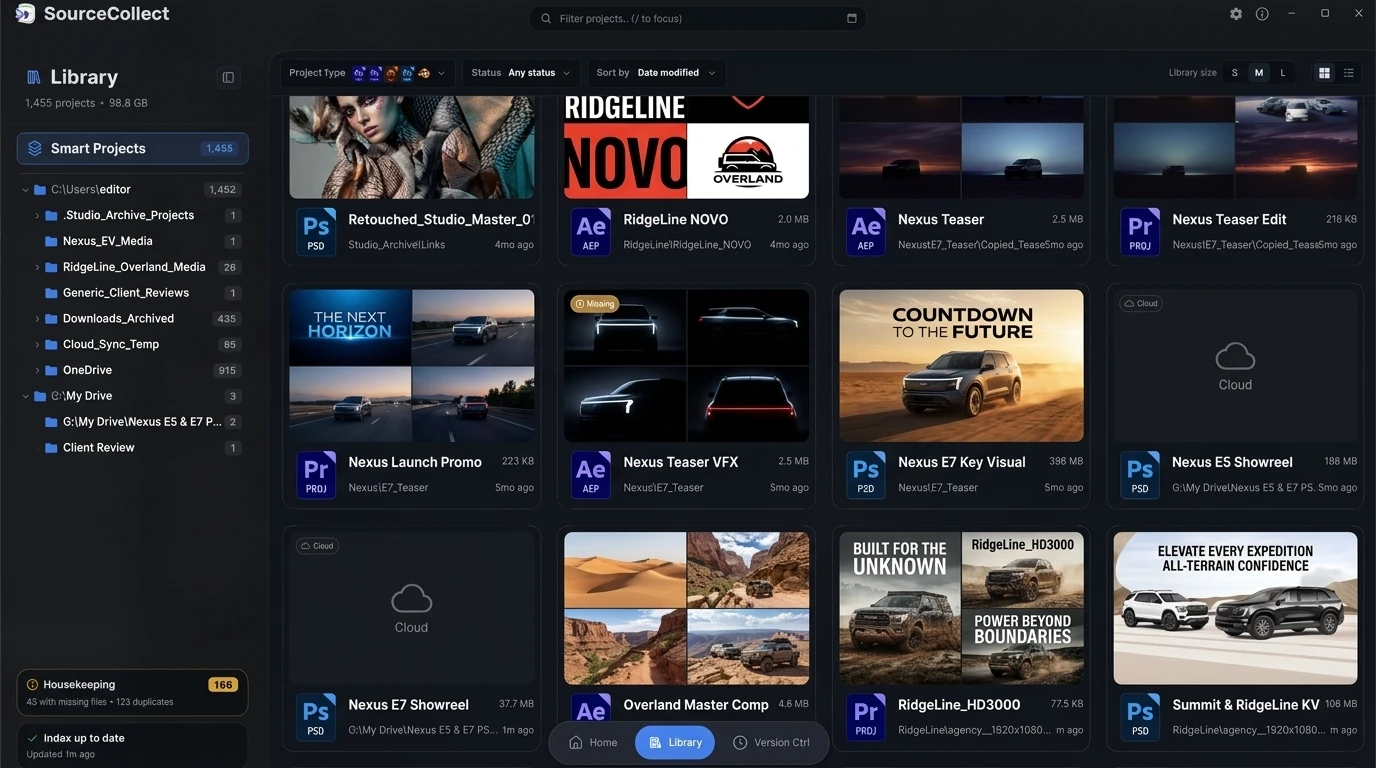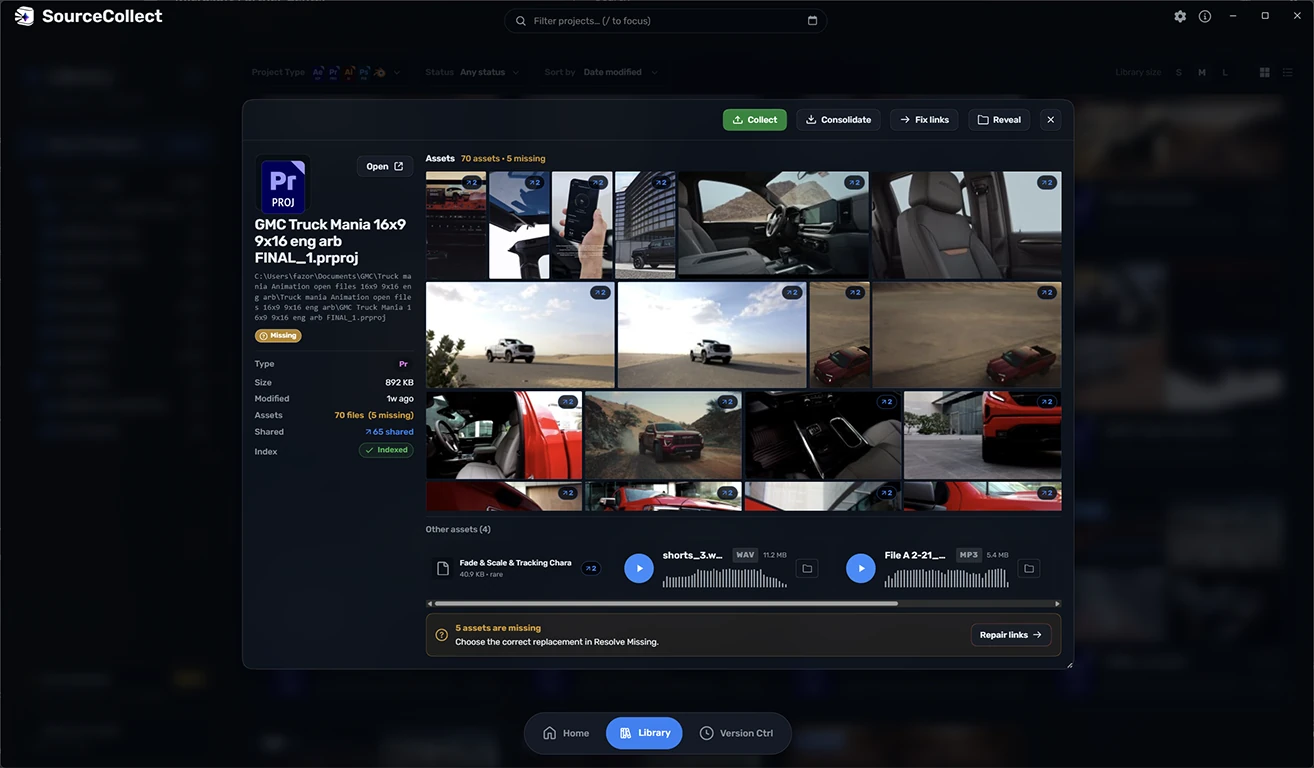
Try everything for 7 days.
No account needed. After the trial SourceCollect carries on as Free, and Pro is a one-time purchase.
$49.99 one time. One person, two computers.
7-day trial
Install SourceCollect
If your browser flags the MSI download
Downloaded from this website? These screenshots show how to keep the MSI in Microsoft Edge. Other browsers may use different wording.
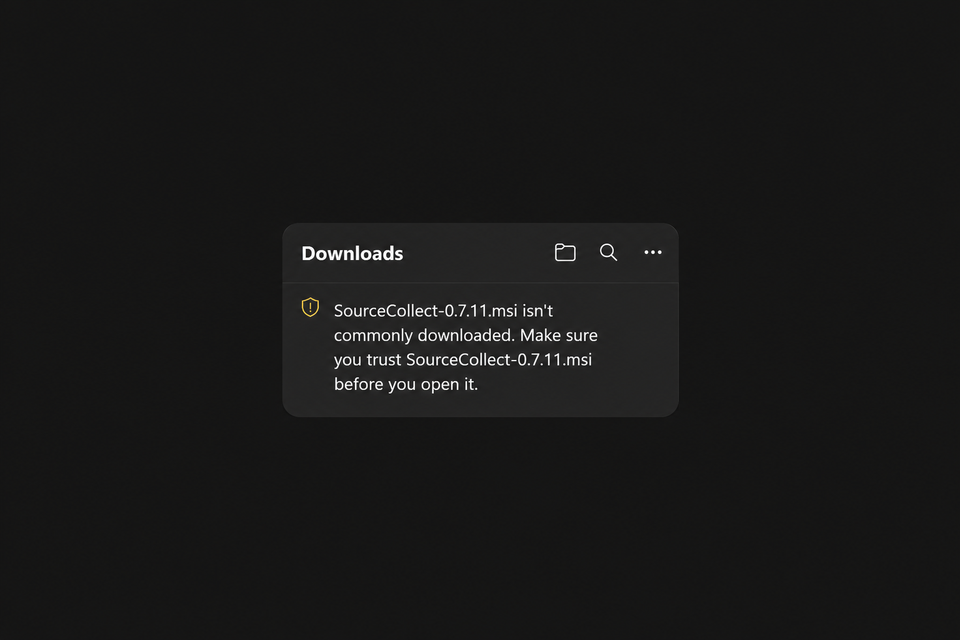
1. Open Downloads
Find the SourceCollect .msi warning in Edge’s Downloads panel.
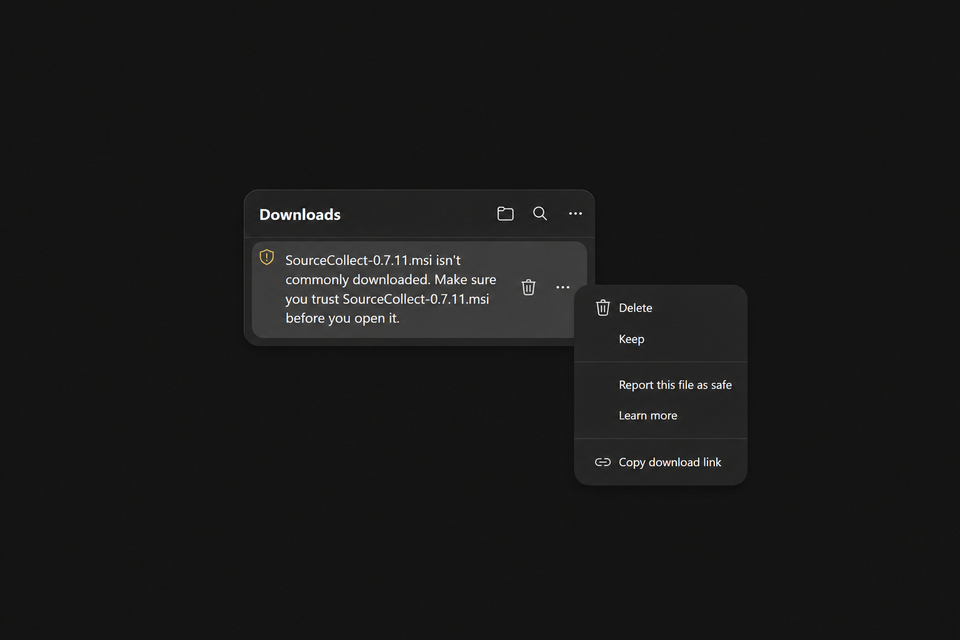
2. Choose Keep
Open the file’s three-dot menu and select Keep.
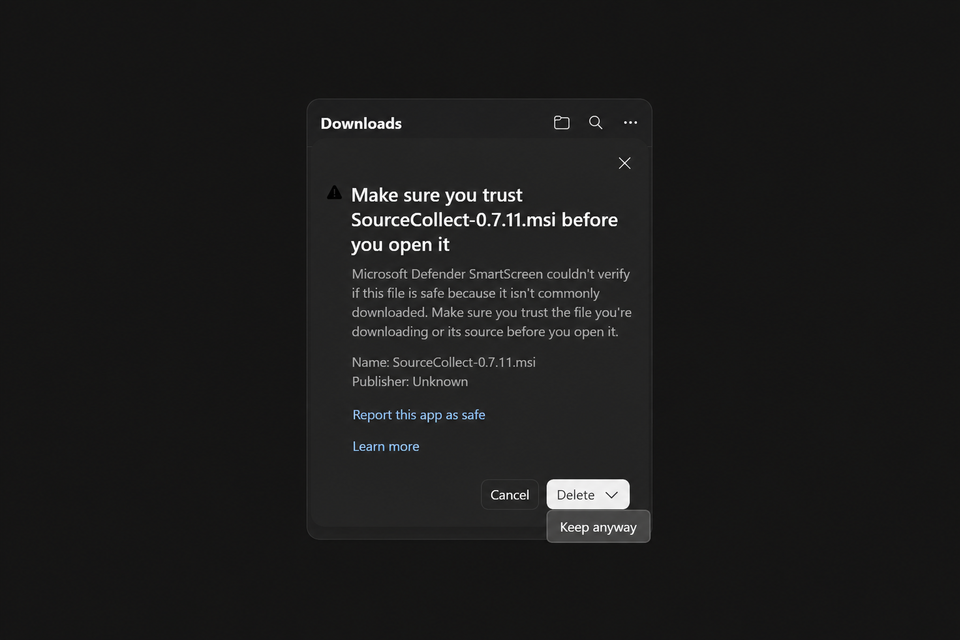
3. Keep anyway
Open the arrow beside Delete, then choose Keep anyway.
Then open the saved .msi and follow setup. If Windows shows “Windows protected your PC,” check that the app is SourceCollect, then choose More info → Run anyway.
Click an image to enlarge; swipe the steps on small screens. SmartScreen stays on. About SmartScreen.
Install on macOS
- Open the downloaded .dmg file.
- Drag SourceCollect into Applications.
- Open SourceCollect from Applications and follow the first-launch prompts.
Free and Pro
Free covers the Library and single-project collection. Pro adds inspection, link fixing and batch work.
| Feature | Free | Pro$49.99 |
|---|---|---|
| In Free and in Pro | ||
| Live-updated LibraryBrowse, search and filter every project. | Included | Included |
| Show in Folder | Included | Included |
| Collect one project at a timeFrom Home and InstaCollect. | Included | Included |
| Right-click menu and tray picker | Included | Included |
| Honest reports when a collect is incomplete | Included | Included |
| Only in Pro | ||
| Look inside a project | Not included | Included |
| Reduce a project | Not included | Included |
| Fix links | Not included | Included |
| Batch collect many projects at once | Not included | Included |
| Drag-and-drop overlay and hotkey | Not included | Included |
| Advanced collection workflows | Not included | Included |
The 7-day trial includes everything in Pro, then continues as Free. Pro is $49.99 once, for one person on two computers.